AI-ready SOP template
Document a process clearly enough for people to follow it — and for AI to help without guessing.
This free workbook captures one process step by step, makes its decisions and exceptions explicit, decides where AI assists and where it doesn’t, and compiles it all into a reviewed operating document.
8 worksheets · Step-by-step AI assist map · Human-only is always an option
The problem
AI can’t follow a process nobody wrote down.
People get by on a vague SOP because they fill the gaps from experience. Give the same document to AI and it fills the gaps too — with whatever sounds plausible.
It fills the gaps with plausible-sounding steps
It invents a rule nobody agreed to
Nobody knows which output was checked
The exception path lives in one person’s head
The SOP describes how it worked last year
Definition
What makes an SOP AI-ready?
An SOP is AI-ready when these are explicit enough that AI can assist with defined tasks without having to guess how the process works:
Start with the edges
Where it starts, where it ends, what goes in and out.
Before a single step, the SOP Setup pins down the process boundaries. The workbook’s example is client onboarding.
The important part
Decide AI’s role one step at a time.
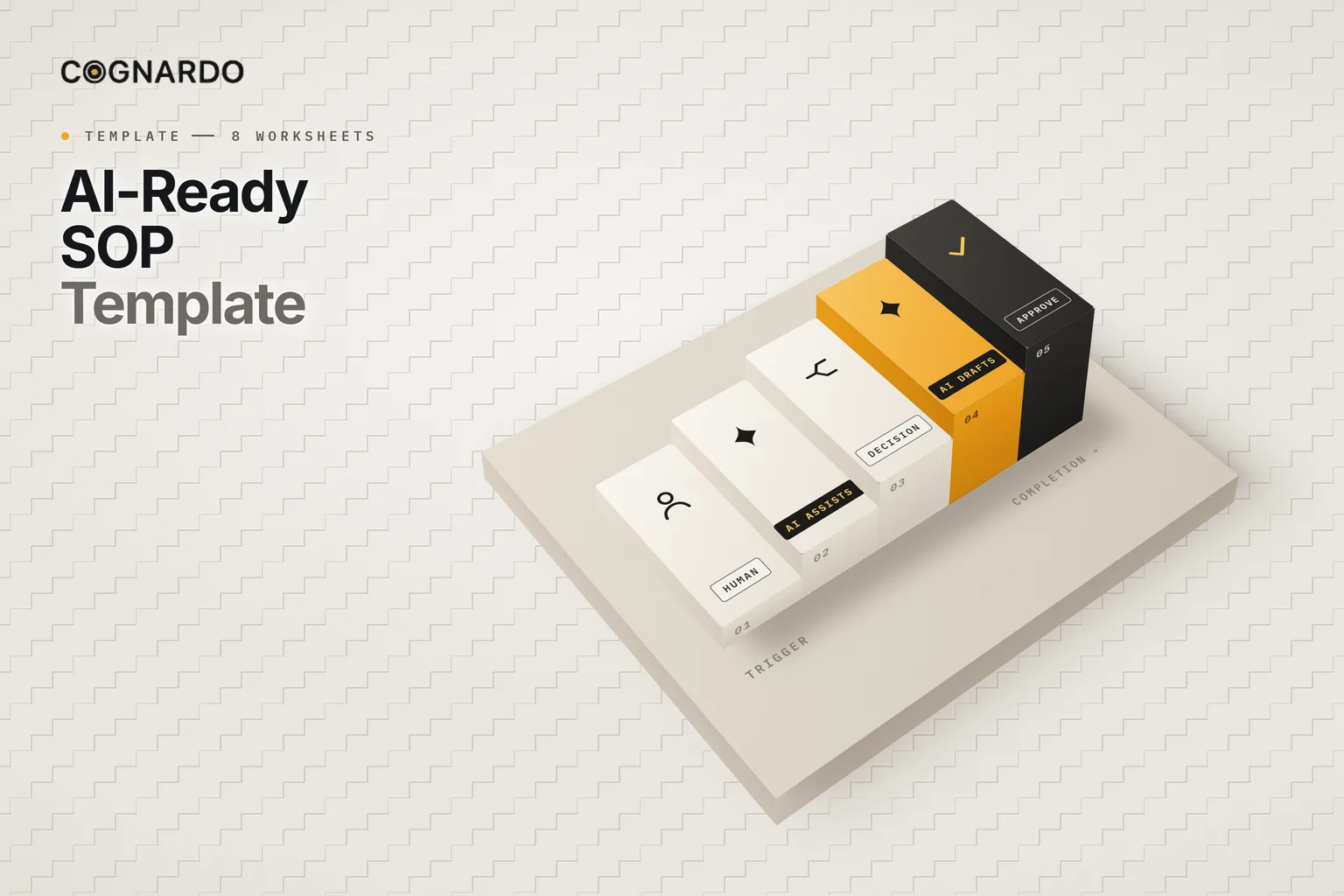
The AI Assist Map gives every step one role. Most start, and many stay, “Human only”. Where AI does help, the step has to say exactly how.
Every AI-enabled step defines
- The task delegated to AI
- The context it receives
- The source material it may use
- The expected output and its format
- Prohibited assumptions and actions
- Whether human review is required, and by whom
- The verification or stop rule
AI role per step
Human only
The default. A valid, normal outcome for any step.
AI assists, human completes
AI helps with part of the step; a person finishes it.
AI produces draft, human approves
AI prepares the output; nothing moves on without approval.
AI executes defined task, human checks
AI does a bounded task; a person verifies the result.
Not yet determined
Recorded honestly instead of guessed.
What stays with people, always.
AI can support defined tasks. It should not become the source of organisational truth.
How to build it
Seven steps, one process.
Describe what happens now, and make it clear, before considering what AI should do. The Start Here sheet tracks which areas are still incomplete.
- 01
Set up the SOP
Define the process, owner, trigger, scope, inputs, outputs, tools and completion condition.
- 02
Capture the steps
The real procedure, one meaningful step per row, with owner, input, output and completion condition.
- 03
Make the logic explicit
Decisions, branches, unusual cases, stop conditions and escalation paths.
- 04
Map where AI helps
Choose the AI role per step, the context it gets, and where a person must review.
- 05
Define quality
Observable acceptance criteria, who checks, and what happens when work fails.
- 06
Review the Final SOP
Read the assembled document, resolve gaps, and approve it for use.
- 07
Keep it current
Record changes when the real process changes, not just when a review is due.
Quality & controls
“Make sure it’s good” isn’t a check.
Each control names an observable acceptance criterion, how it is verified, who checks, what counts as failure, and the corrective action. AI can suggest clearer wording; the process owner decides what acceptable means.
Before it’s used
One document. Five human checks.
The Final SOP assembles the setup, procedure, decision rules, exceptions, AI-assisted steps and quality controls into one operating document. Then someone accountable reviews it.
After that, the change log keeps it honest: version, status, what changed and why, and when it is next reviewed.
Final human review
- Purpose, scope, trigger and completion condition reflect reality
- The procedure is complete enough for an intended user to execute
- Decision rules and exceptions are explicit where needed
- AI-enabled steps have boundaries and verification; human-only choices are intentional
- Quality checks define acceptable execution
The workbook
Write the process down once. Let AI help with the right parts.
Everything above is on this page for free. The workbook does the part a webpage can’t: track what is incomplete, compile the steps, logic and controls into one SOP, and keep a record of every change.
4 optional AI helpers
ai-ready-sop-template.xlsx
XLSX · 8 worksheets
Enter your email and we’ll send the template straight to your inbox. Free, no account, no card.
We may email you occasionally for feedback, or to tell you about new Cognardo resources. Unsubscribe any time.
Where it helps
Any process you repeat.
Client onboarding
The workbook’s own example: from signed agreement to kickoff.
Content production
Briefing, drafting, review and publishing, with AI steps defined.
Reporting
Recurring reports where AI drafts and a person verifies the numbers.
Support and triage
Routine handling, with explicit exceptions and escalation.
Finance admin
Invoicing and reconciliation with approval points kept human.
Handover and training
Document a process before the person who knows it moves on.
Keep it where you work
Turn approved steps into prompts you reuse.
Every AI-assisted step ends up as an instruction you run again and again. Workbench is our browser extension for exactly that — keep prompts and context organised, fill the variables in a form, and run them without leaving ChatGPT, Claude or Gemini.
FAQ
Questions, answered.
What is an AI-ready SOP?+
A standard operating procedure whose purpose, inputs, steps, decisions, outputs, quality requirements, exceptions and human and AI responsibilities are explicit enough that AI can assist with defined tasks without having to guess how the process works.
How is it different from a normal SOP?+
A normal SOP often relies on the reader filling small gaps from experience. An AI-ready SOP removes those gaps. It states decision rules and exceptions explicitly, and records, step by step, what AI may do, what it receives, and who checks the result.
Can AI write my SOP for me?+
It can help you write it down. It cannot know how your process actually works. The workbook’s prompts turn your rough notes into clearer structure, but they are told not to invent policies, roles, thresholds or steps. The process owner approves what is true.
Should every step use AI?+
No. “Human only” is the default in the AI Assist Map, and a perfectly valid outcome for any step. AI belongs where it genuinely helps with a defined task, with review where the stakes call for it.
What should never be delegated to AI?+
Authoritative decisions: company policy, approval authority, financial thresholds, security permissions, sensitive personnel decisions, legal or regulatory interpretation, safety-critical judgements and final factual verification. AI can support the work, but it should not become the source of organisational truth.
Is this an automation or agent design tool?+
No. It documents one process and identifies where AI assists. If a step turns out to be a good automation or agent candidate, take it into a dedicated planning tool such as an automation canvas or an agent specification.
How often should an SOP be updated?+
Whenever the real process changes: a new owner, tool, input, decision rule, AI instruction, quality requirement or exception path. A polished SOP that no longer matches practice is more misleading than none.