Human-in-the-loop AI workflow: AI does the work, people keep the judgement
A practical 6-stage workflow for designing, running and improving a process where AI handles part of the work — with human review placed deliberately, not after every step and not nowhere.
- For repeatable business or knowledge work where AI can draft, summarise, classify or analyse
- Works with ChatGPT, Claude, Gemini or any general-purpose AI tool
- Not a substitute for enterprise governance or legal compliance review
The idea
What is a human-in-the-loop AI workflow?
Teams adopting AI usually end up at one of two extremes: a person re-checks every single AI step, which wastes the time AI was meant to save, or nobody checks anything, which is how errors reach clients.
A human-in-the-loop workflow decides in advance where judgement is genuinely needed, what the reviewer looks for, what counts as acceptance, and what happens when something fails — then adjusts those choices based on real runs.
What gets defined
Use the minimum human involvement needed to keep the required judgement and quality. The aim isn’t to remove the human over time; it’s to make human involvement increasingly intentional.
The workflow
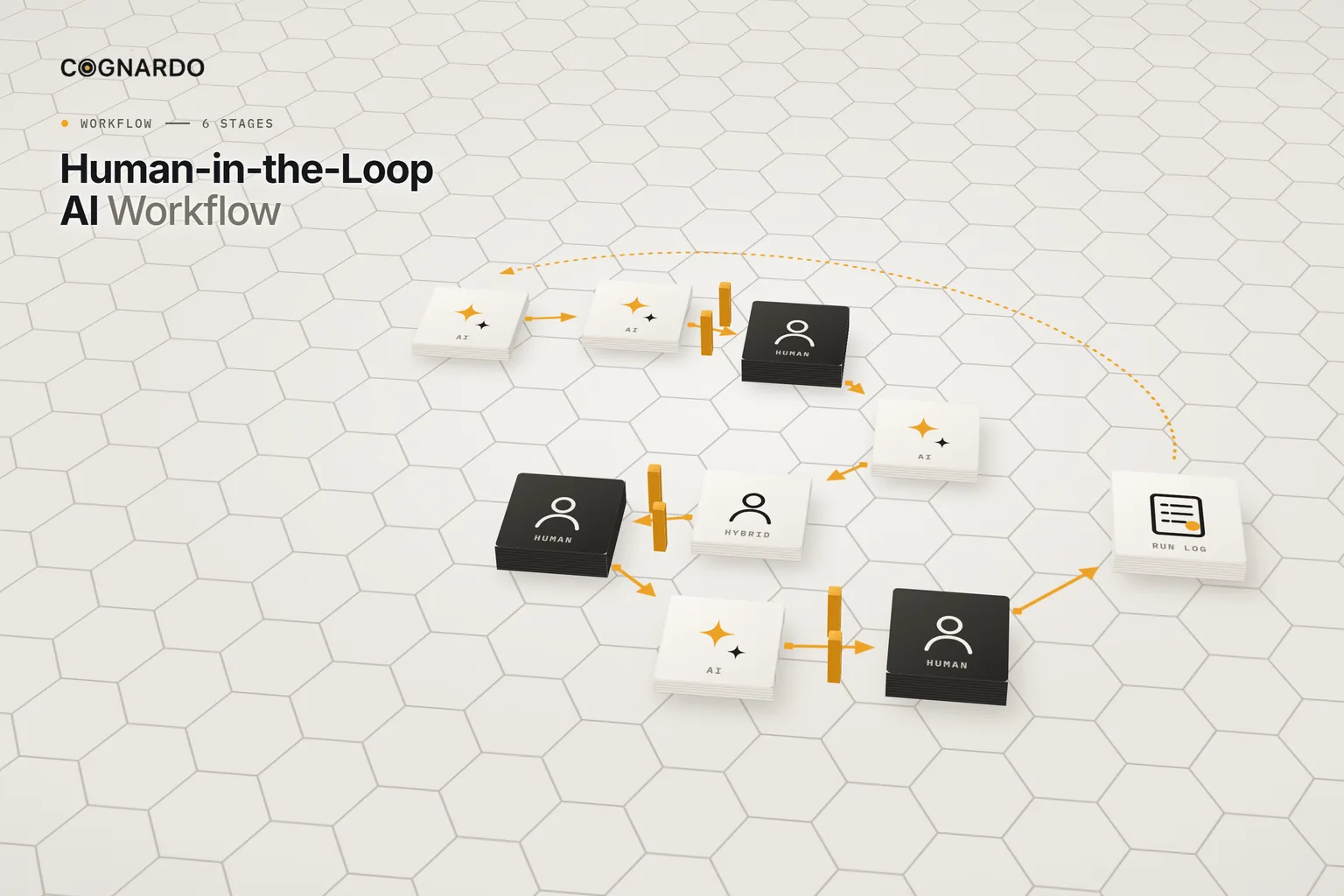
The 6-stage human-in-the-loop AI workflow.
Design it, run it, learn from it. Changes that alter steps, instructions, gates or responsibilities become a new version.
- 01
Workflow brief
Define the objective, trigger, inputs, final output and definition of done — then what goes wrong if the output is wrong, what must stay human, and what AI must never do alone.
Output: A bounded workflow brief
Recorded in: 01 Workflow Brief
- 02
Workflow map
Map every meaningful step end to end and assign each to Human, AI or Hybrid. Mark where human review is required — not after every AI step by default.
Output: A responsibility map
Recorded in: 02 Workflow Map
- 03
AI task briefs
Turn each important AI step into a reusable instruction: objective, context, input, constraints, expected output, evidence requirement and what to do when uncertain.
Output: Repeatable AI instructions
Recorded in: 03 AI Task Briefs
- 04
Review gates & exceptions
Choose a gate type for each review point, define what the reviewer checks and accepts, what happens next, and the exception routes for unusual cases.
Output: Explicit operating rules
Recorded in: 04 Review Gates & Exceptions
- 05
Run log
Pilot or operate the workflow and log each run: gates triggered and passed first time, rework, exceptions and how humans intervened.
Output: Execution evidence
Recorded in: 05 Run Log
- 06
Review & improve
Use the evidence to decide what changes: AI instructions, gates, or the human role. Record the change, the new version and the result after retest.
Output: An improved next version
Recorded in: 06 Review & Improve
Who does each step
Human, AI or Hybrid.
Every step in the map gets exactly one mode, and a note on whether a person must review it.
Human
A person performs the step or makes the decision.
AI
AI performs a bounded task using defined inputs and instructions.
Hybrid
AI prepares or assists; a person materially contributes before the step is complete.
The workbook’s example: client deliverable drafting
The important part
Four kinds of review gate.
Use the lightest gate that still protects the judgement and quality the work needs. Higher-consequence, hard-to-reverse work usually needs stronger control.
Pre-release approval
AI can prepare the work, but a person approves before it leaves the workflow.
Quality review
A person checks the output against defined acceptance criteria before it continues.
Exception-only review
Routine work continues; a person steps in only when a defined condition is triggered.
Human decision gate
AI can provide analysis or options; the consequential choice stays human.
Every gate defines
- Why human review is needed
- What triggers it
- Who decides
- What the reviewer receives and checks
- The acceptance criteria and evidence required
- What happens on accept, revise or reject
- When and to whom it escalates
Run log
Evidence from real runs.
Log every run during a pilot — or a sample in high-volume work — and the summary shows where human review adds value.
Total runs
Completed
Rework rate
Exceptions
First-pass gate rate
Follow-up needed
Review & improve
Questions to ask the evidence.
Ground rules
Four rules for putting humans in the right places.
Lightest gate that works
Match review to consequence. Hard-to-reverse or context-heavy work needs stronger control; routine work may only need exception review.
Define acceptance, not just “check it”
A reviewer needs criteria, the evidence required and what happens on accept, revise or reject.
AI never approves its own output
Sending to the client, inventing missing evidence and final approval stay outside AI’s boundaries.
Change it on evidence
Move human involvement up or down because the run log shows a reason, then version the change and retest.
In practice
One deliverable, one improvement cycle.
Fictional example
Client deliverable drafting · v1.0, in pilot
- BriefObjective: accurate client-ready deliverables, faster, without losing consultant judgement. Consequence if wrong: moderate. AI must not send to the client, invent evidence or approve its own work.
- RunThree gates triggered, two passed first time. A source was missing, and one unsupported sentence had to be removed.
- OutcomeApproved and delivered after one revision cycle.
- ReviewDrafts kept including one unsupported sentence when source notes were incomplete — a recurring issue.
- CauseThe drafting task never told AI to flag requested content it couldn’t support.
- ChangeStrengthen the uncertainty instruction in the AI task brief, keep the existing quality gate, and retest under a new version.
The kit
Put the workflow into practice.
Everything above is on this page for free. The kit solves the other problem: keeping the map, instructions, gates, runs and improvements of a live AI-assisted process in one versioned place.
human-in-the-loop-ai-workflow.xlsx
XLSX · 7 sheets · 6 stages
Enter your email and we’ll send the workbook straight to your inbox. Free, no account, no card.
We may email you occasionally for feedback, or to tell you about new Cognardo resources. Unsubscribe any time.
Better together
Document the process. Set the rules.
This workflow runs one AI-assisted process. Two companions help with the process underneath and the policy around it.
Underneath
Write the process down
Document steps, decisions, exceptions and quality controls clearly enough for people to follow and AI to assist.
AI-Ready SOP TemplateAround
Set team-wide AI rules
Decide which tools are approved, for which tasks and data, and who to tell when something goes wrong.
Small-Team AI Acceptable Use Policy TemplateRun it where the work happens
Keep your AI task briefs one click away.
Every run reuses the same task briefs, with fresh inputs each time. Workbench is our browser extension for exactly that — keep prompts and context organised, fill the variables in a form, and run them without leaving ChatGPT, Claude or Gemini.
FAQ
Questions, answered.
What does human-in-the-loop AI mean?+
A process where AI does part of the work and people are deliberately involved at defined points — reviewing, approving, deciding or handling exceptions. The key word is deliberately: the human role is designed, not improvised.
Should a person review every AI output?+
Not necessarily. Reviewing everything often removes the benefit of using AI. Match the gate to the consequence: pre-release approval for anything client-facing or hard to reverse, exception-only review for routine low-risk work.
What’s the difference between review and approval?+
A review checks an output against defined criteria. An approval is a gate the workflow can’t pass until a person explicitly accepts the work. An exception review only involves a person when a defined condition is triggered.
When should a step be Hybrid rather than AI?+
When AI prepares or assists but a person materially contributes before the step is complete — interpreting client context, for example, or adding expert judgement to a draft.
How do I know if a review gate is worth keeping?+
Look at the run log. A gate that regularly catches meaningful problems is earning its place. One that adds effort but rarely changes the result is a candidate for a lighter gate.
Is this an AI governance framework?+
No. It’s a practical design and operating tool for one process. It doesn’t replace enterprise governance, legal or compliance review, or formal risk assessment where those apply.
How often should I review the workflow?+
After a pilot, and then whenever the run log shows recurring rework or exceptions. Record each improvement decision, and create a new version when steps, AI instructions, gates or responsibilities change materially.