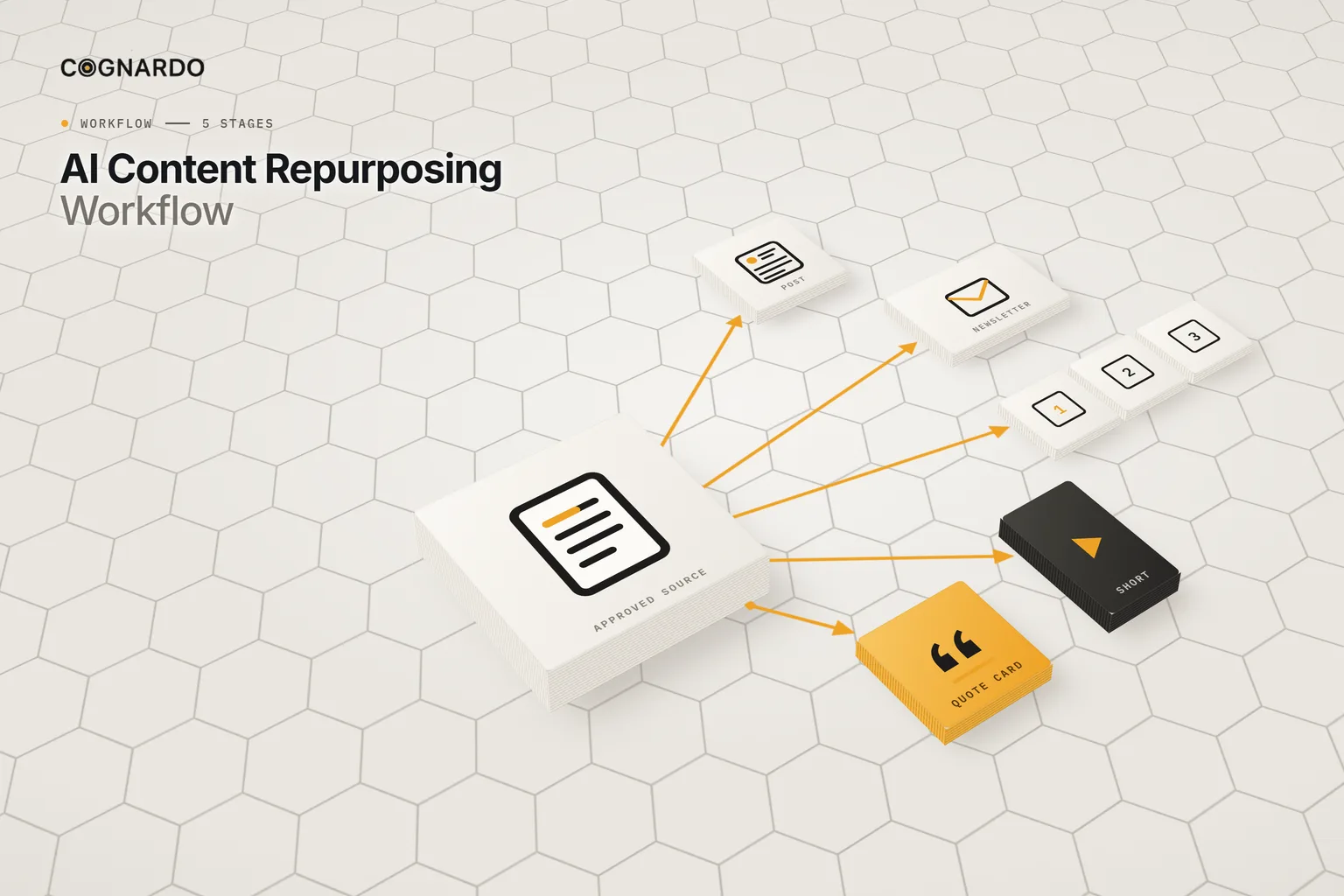
AI content repurposing workflow: one source, many strong pieces
A practical 5-stage workflow for turning one approved piece of content into channel-native posts, newsletters, carousels and scripts — each with its own angle, each true to the source.
- Works with ChatGPT, Claude, Gemini or any general-purpose AI assistant
- Built for articles, guides, newsletters, presentations and transcripts
- Room to plan, draft and review up to 25 derivatives from one source
The idea
What is an AI content repurposing workflow?
Repurposing usually means pasting an article into a chatbot and asking for “five LinkedIn posts”. You get five summaries of the same thing, with details that drifted somewhere between the source and the output.
A workflow starts from verified source facts, decides which derivatives are genuinely worth making, and checks each one against the source before it goes anywhere.
What every derivative traces back to
AI adapts approved excerpts into new formats and revises to your feedback. People confirm reuse rights, verify every anchor, decide which assets are worth making, and approve each one against the exact source version.
The workflow
The 5-stage AI content repurposing workflow.
One workbook per source. Every derivative goes through the same gates, and a change to the source re-opens them.
- 01
Qualify
Confirm you may reuse the source, that it’s approved and current, and that restricted information has been reviewed. Then log its claims, ideas and caveats as anchors.
Output: An eligible source and an approved anchor ledger
Recorded in: 02 Source & Fact Anchors
- 02
Plan
Decide which channel adaptations are worth creating. Each one needs its own audience, takeaway, transformation angle, source anchors and format requirements.
Output: Selected, briefed derivatives
Recorded in: 03 Repurposing Plan
- 03
Draft
Pick an asset, paste only its permitted excerpts, and run the channel adaptation prompt. The desk pulls the brief in automatically.
Output: A working draft per asset
Recorded in: 04 AI Production Desk
- 04
Review
Check every draft on six dimensions, against the source version it was made from. Revisions go back to the desk; only an explicit Approve moves on.
Output: Approved final text
Recorded in: 05 Review & Handoff
- 05
Hand off
Pass approved text or links to whoever publishes, and mark each one handed off. Start a fresh workbook copy for the next source.
Output: Handed-off assets
Recorded in: 05 Review & Handoff
Before anything is drafted
The source has to pass a gate.
Every check must be Yes before derivatives are produced. If any is No or still being checked, the run is on hold.
- You have permission to reuse it
- The source itself is approved
- The information is current enough
- Restricted information has been reviewed
- A source version is recorded
Fact anchors
Reuse anchors, not memory.
Each idea worth reusing gets an anchor ID, its location in the source, a class, its evidence, a verification status and how it may be used.
The adaptation rule
Three outputs. Three different tasks.
A format change isn’t automatically a useful adaptation. From the workbook’s example, one guide becomes three pieces that each do a different job:
LinkedIn post
One costly mistake → a specific professional lesson and response
Email newsletter
Three useful questions to ask before starting a client project
Instagram carousel
A step-by-step client onboarding preparation sequence
Quality gate
Six checks per derivative.
AI’s role
Three prompts, in order.
Source distillation
Optional, early: finds candidate ideas in the source for you to verify as anchors.
Channel adaptation
Only once the asset is planned and its approved excerpts are pasted in.
Revision & improvement
After human review. Your feedback stays authoritative.
Ground rules
Four rules for repurposing that doesn’t drift.
A new format isn’t a new piece
Every derivative needs its own audience benefit and angle. Reject the ones that are just the source, shorter.
Anchor every claim
Derivatives reuse verified anchors, not whatever the model remembers about the topic. Excerpts go in; a link alone isn’t source text.
Check rights before reach
Permission to reuse, quotation rights and restricted information are settled before anything is drafted.
Source changes re-open review
When the source version changes, previously approved derivatives are blocked until someone confirms them against the new one.
In practice
One guide, three different jobs.
Fictional source
“Five Client Onboarding Mistakes Consultants Should Avoid”
- QualifyReuse confirmed, guide approved and current. Its five mistakes and their caveats are logged as anchors, each marked Verified with a permitted treatment.
- PlanThree assets selected, each with a different job — not three summaries of the same guide.
- LinkedInOne costly mistake, turned into a specific professional lesson and how to respond.
- NewsletterThree useful questions to ask before starting a client project.
- CarouselA step-by-step onboarding preparation sequence, one step per slide.
- ReviewEach passes six checks against the guide’s recorded version, is approved, and is handed to the publishing owner.
The kit
Put the workflow into practice.
Everything above is on this page for free. The kit solves the other problem: keeping every derivative tied to the facts, rights and version of the source it came from.
ai-content-repurposing-workflow.xlsx
XLSX · 5 sheets · 5 stages
Enter your email and we’ll send the workbook straight to your inbox. Free, no account, no card.
We may email you occasionally for feedback, or to tell you about new Cognardo resources. Unsubscribe any time.
Better together
Before and after repurposing.
Repurposing starts from an approved source and ends at a handoff. Two companions cover either side.
Before
Create the source
Take the original piece from brief to a reviewed, verified asset worth repurposing.
AI Content Creation WorkflowAfter
Schedule what you made
Track every derivative through scheduling and publishing alongside the rest of your content.
AI Content Calendar & Production TrackerRun it where you draft
Keep the adaptation prompts ready for every source.
The same distillation, adaptation and revision prompts run on every asset. Workbench is our browser extension for exactly that — keep prompts organised, fill the variables in a form, and run them without leaving ChatGPT, Claude or Gemini.
FAQ
Questions, answered.
What is content repurposing?+
Turning one piece of content into others for different channels and formats — a guide into a post, a newsletter, a carousel or a short video script. Done well, each piece is useful on its own rather than a shorter copy of the original.
Can AI repurpose content for me?+
It can draft the adaptations quickly. What it can’t do is know which ideas you’re allowed to reuse, which claims are verified, or whether a derivative is genuinely useful on its own. The workflow handles those decisions before and after the AI step.
How do I stop details changing between the source and the post?+
Anchor them. Log each claim, quotation and caveat from the source, verify it, and give AI only those approved excerpts. Then check every draft for source fidelity before it’s approved.
How many pieces should I make from one source?+
As many as are genuinely useful, and no more. The plan asks for a distinct audience takeaway and angle for each one. If you can’t write those down, the derivative probably shouldn’t exist.
What happens if the original is updated?+
Record the new source version. Any derivative reviewed against the old version is automatically blocked until a reviewer confirms it against the new one.
Can I repurpose content I didn’t write?+
Only with permission. The source gate asks whether you have reuse rights before anything else, and each anchor records whether it may be paraphrased, quoted with permission, or not used at all.
Does it publish or schedule posts?+
No. It ends with approved text handed to whoever publishes. For scheduling, pass the approved assets into a content calendar.